Centralized Software Install Automation
Enable centralized, policy-driven deployment and removal of applications across enterprise endpoints without any manual intervention. Define install parameters, track deployment health, and enforce compliance through intelligent automation.
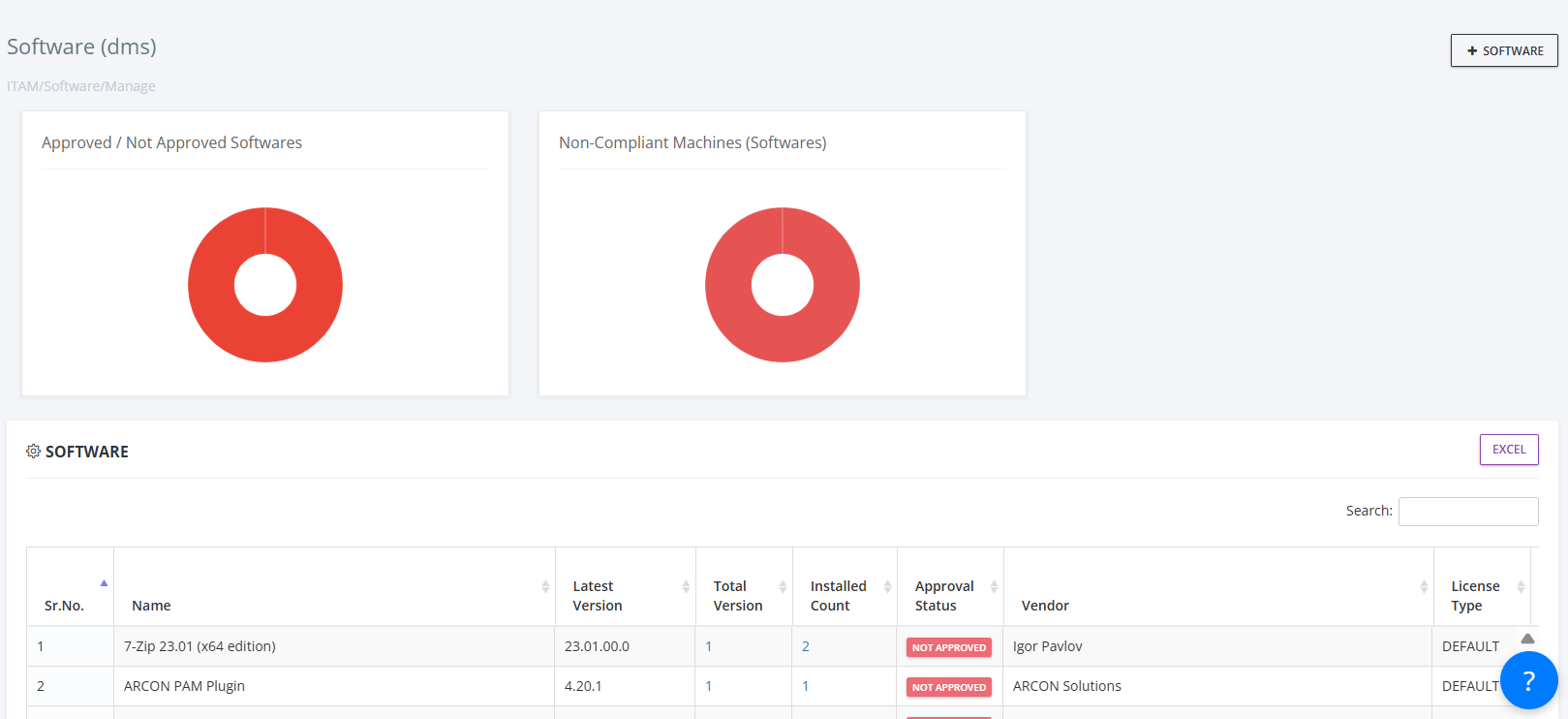
Remote Installation
Ticket Automation
Compliance Engine
Beyond Manual Installs. Built for Enterprise Scale.
Deploy software seamlessly, ensure compliance automatically, and eliminate manual IT intervention with intelligent automation that works across all endpoints.
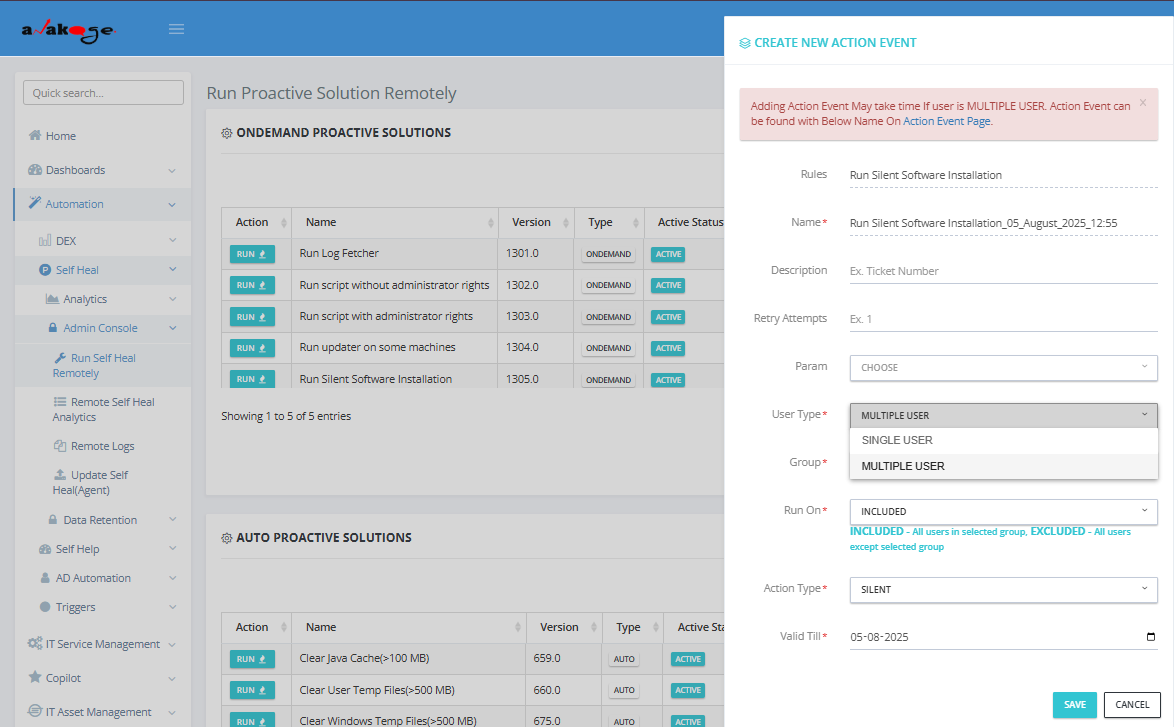
Remote Software Installation for Zero-Touch Deployment
Install software remotely on individual or grouped endpoints with zero physical access required. Support for both offline (agent-hosted) and online (internet-based) installations with custom parameters.
- Remote installation to single or bulk endpoints without physical access
- Multi-source support for offline and online installer sources
- Silent install parameters and dependency handling
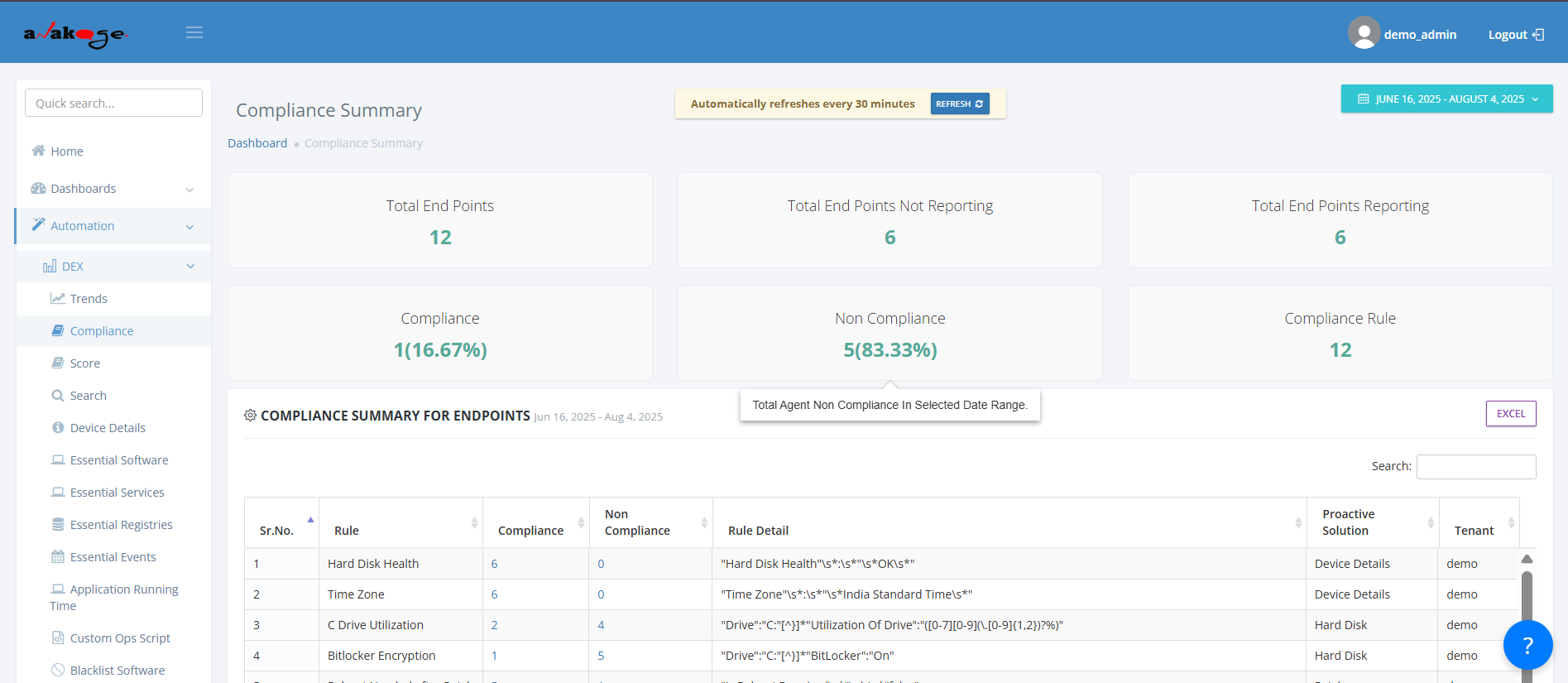
Intelligent Compliance Engine for Automated Policy Enforcement
Define and enforce compliance rules with self-healing automation that detects missing or unapproved software and remediates instantly. Whitelist/blacklist enforcement ensures consistent software posture.
- Self-healing compliance engine with automated remediation
- Whitelist/blacklist enforcement for endpoint control
- Auto-remove unapproved or outdated software across devices
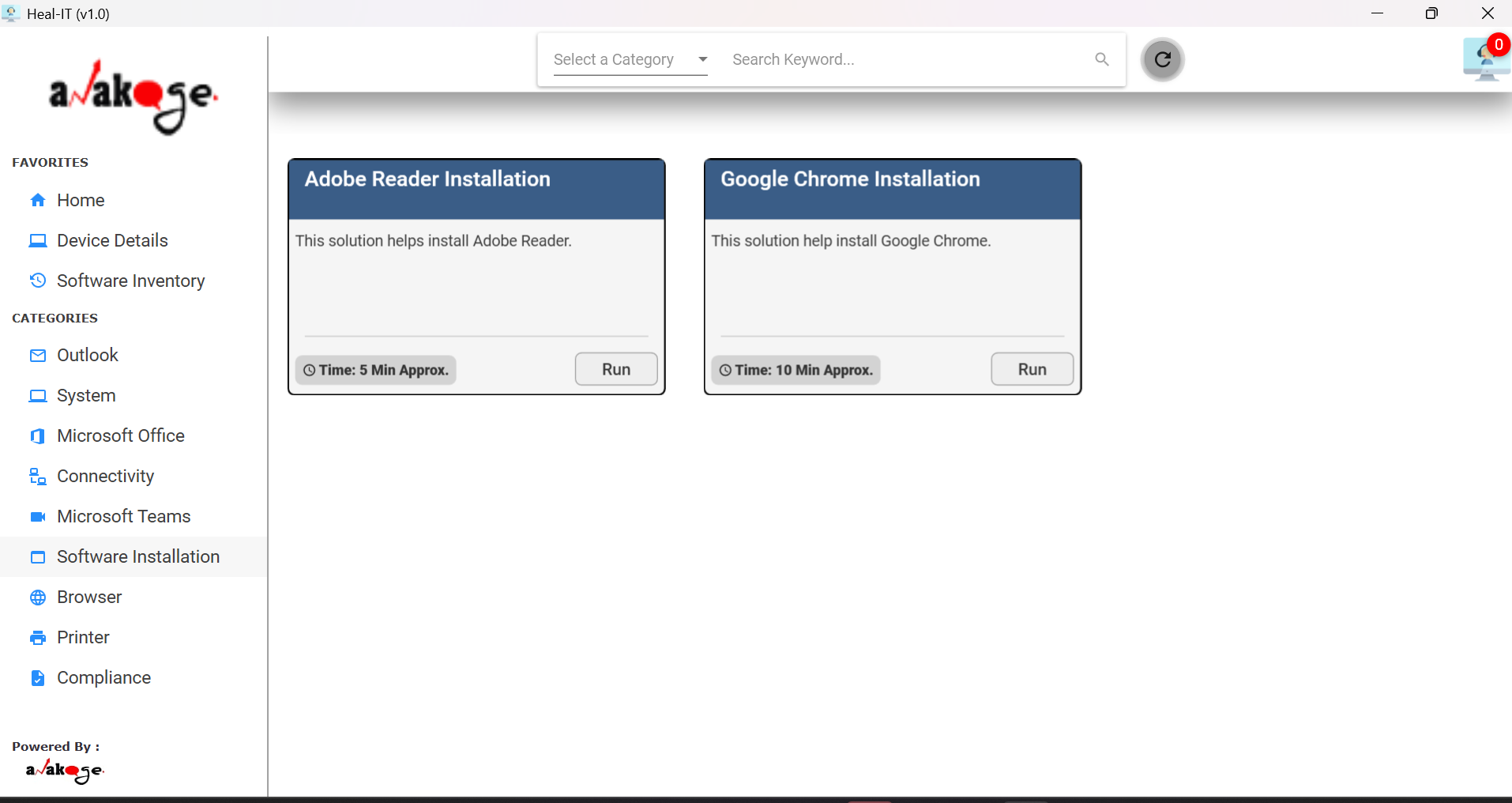
Self-Service Portal for User Empowerment
Let users install approved applications themselves through web and desktop portals, reducing L1 IT workload while maintaining security and compliance standards through centralized software catalogs.
- Self-service install portal for end users to access approved software
- Custom software catalogs with versioning and licensing control
- Real-time dashboards for install success, failures, and coverage tracking
NLP-Powered ITSM Integration for Intelligent Ticket Automation
Automatically detect software requests from ITSM ticket text using NLP mapping and execute installations without manual IT intervention. Full integration with background flows and auto-resolution capabilities.
- NLP-mapped auto-install from ticket context analysis
- Auto-resolve software tickets via background install flows
- Full ITSM integration with audit trails and monitoring

Solving Software Installation's Biggest Challenges
Transforming Manual Software Deployment Pain Points Into Intelligent, Automated Solutions
Manual IT Intervention Required
Eliminate manual software installations with automated remote deployment that requires zero physical access or IT involvement.
Software Compliance Violations
Self-healing compliance engine automatically detects and removes unapproved software while ensuring mandatory applications are installed.
Slow Ticket Resolution Times
NLP-powered automation detects software requests from tickets and executes installations automatically, reducing response time to minutes.
Inconsistent Software Versions
Centralized software catalogs with version control ensure standardized installations across all endpoints with unified parameters.
Poor Installation Visibility
Real-time dashboards provide complete visibility into installation status, success rates, failures, and endpoint coverage with full audit trails.
Software Install Automation Engine Components
Intelligent automation components that streamline enterprise software deployment, compliance, and lifecycle management.
Remote Installation Engine
Deploy software remotely to single or bulk endpoints with zero-touch access and multi-source support.
Compliance Enforcement Engine
Automatically enforce software policies and remove unapproved applications with self-healing capabilities.
Self-Service Portal
Enable users to install approved software via web and desktop portals with catalog-driven provisioning.
NLP Ticket Automation
Detect software requests from ITSM tickets and auto-execute installations using NLP-powered analysis.
Installation Monitoring Console
Real-time visibility into installation progress, success rates, and endpoint coverage with live dashboards.
Software Catalog Manager
Maintain centralized catalogs with versioning, license types, and installation parameter controls.
Policy Engine
Define and enforce compliance rules with automated remediation and whitelist/blacklist management.
ITSM Integration Engine
Seamless ITSM integration with automated resolution of software-related tickets and audit trails.
Discovery & Inventory
Detect missing or outdated applications and trigger silent deployments using endpoint inventory insights.
Audit & Reporting
Generate detailed audit trails and compliance reports for all installation and policy enforcement activities.
Background Processing Engine
Perform silent installations and updates in the background without disrupting end users.
Rollback & Remediation Engine
Automatically rollback failed installations and remediate endpoints to maintain compliance and stability.